
Managing a Mini-Project
Last updated on 2026-05-31 | Edit this page
Overview
Questions
- How do we put everything we’ve learnt together?
Objectives
- Go through the steps of managing a small software project.
Now we’ve seen all the steps involved in developing sustainable code, let’s put that knowledge into practise.
Earlier, we made a fork of the project-novice-demo
repository. The code there is pretty bad - it’s written in a very
unsustainable way that makes future development harder (and passing the
project on to another researcher even harder!). However, as a published
project owned by somebody else, we don’t have the permissions required
to edit it and fix the problems.
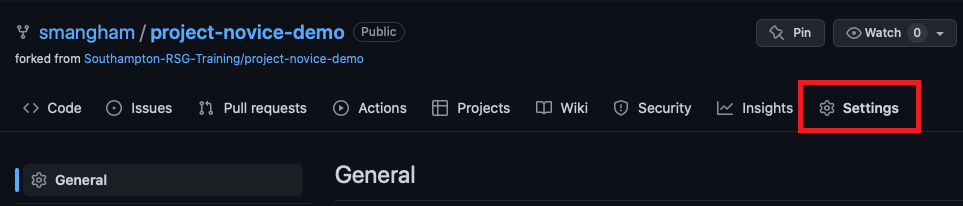
Fortunately, we have already forked it, and now we’re going to set up a small project to improve it. We’ll use the tools we’ve introduced in this lesson so far. Forks don’t have Issues by default, but you can enable them by going to the Settings tab, then scrolling down to Features:
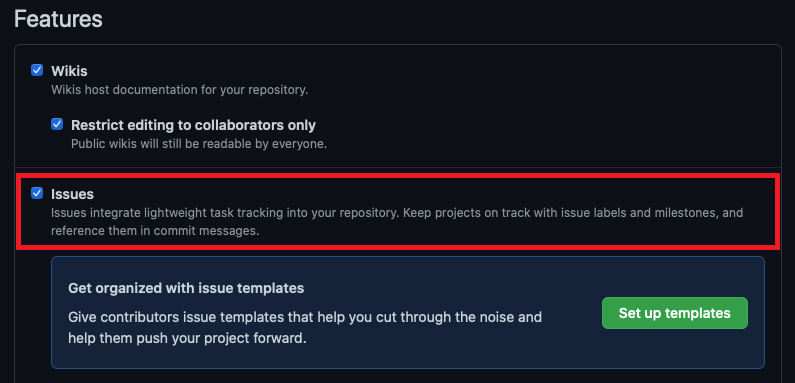
Now we can start looking for problems with the project and recording
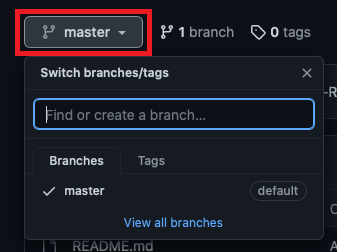
them as issues. One immediate one is that there’s no
develop/dev branch - all the work has been
done on the master/main branch:
Identifying issues
We’ve found one problem, but there’s plenty more here. Take
a look at your fork of the project-novice-demo repository,
identify two more things wrong with the code, and raise them, along with
the lack of a dev branch, as issues. Don’t try to run the
code - there’s more than enough things wrong with it that you can spot
just from a quick read-through. Once you’ve got your issues, create a
new project board, link it to the repo, and place the issues on it.
There’s too many things wrong to provide an exhaustive list, but here’s a few you may have spotted:
- No stable releases
- Unclear commit messages
-
LICENSE.mdis empty -
README.mdhas an inaccurate list of files -
README.mdcontains broken links -
What questions do we want to answer with this data?is unfinished - Multiple versions of the same file in the repository
- Poorly-named functions (e.g.
add_column5) - Poorly-named variables (e.g.
df47) - Poorly-documented functions
*(e.g.
plot_bar_charts) - Undocumented functions (e.g.
produce_count)
We’ll go to the Issues tab of our
project-novice-demo, repository, select New
Issue, then create an issue. We can even link our issue
directly to our project board from here: 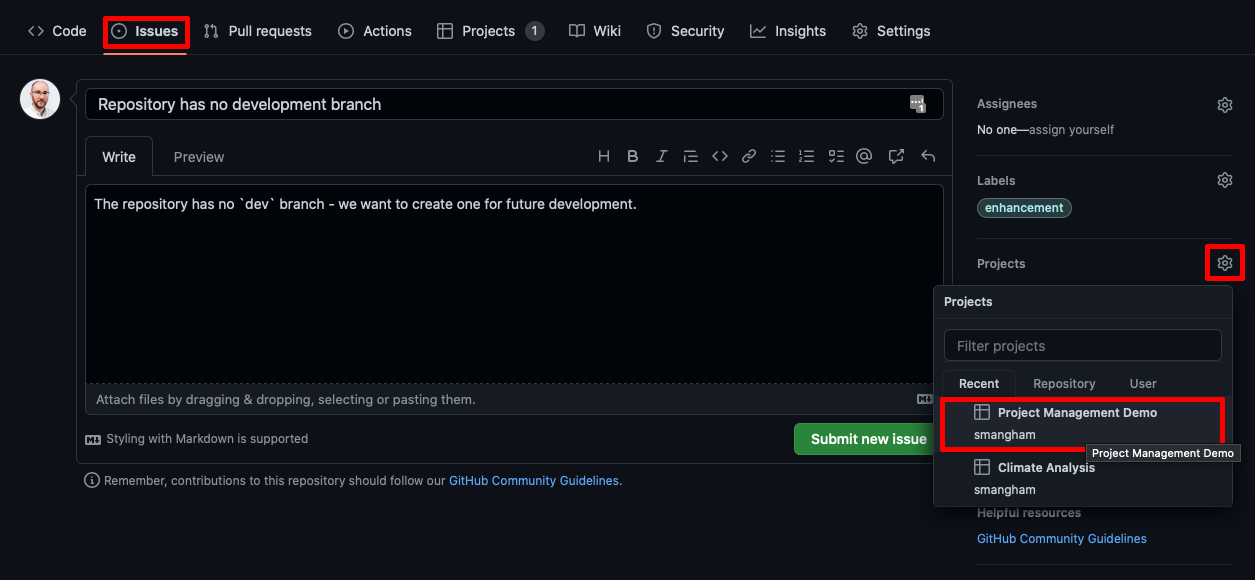
Now we’ll work on addressing the issues we’ve raised. If we want to
use the feature-branch workflow, the lack of a dev branch
is the first one we need to fix! So we’ll address that first. We go back
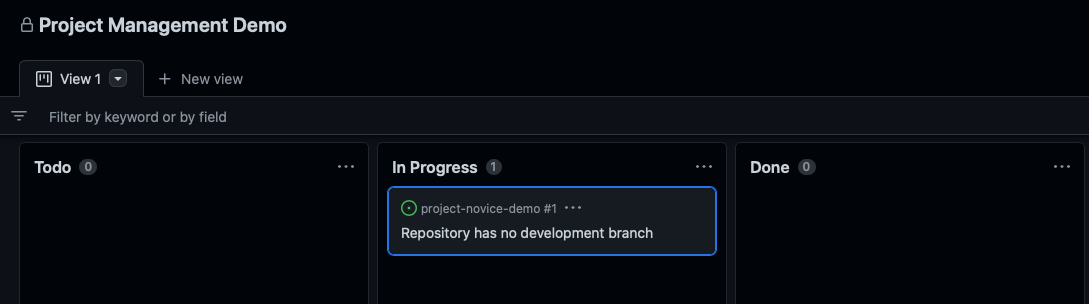
to our project via the Projects tab, and move the issue
to the In progress column of our kanban board to let
our collaborators know we’re fixing it:
Now we’ll clone our repository to our machine:
OUTPUT
Cloning into 'project-novice-demo'...
remote: Enumerating objects: 28, done.
remote: Counting objects: 100% (28/28), done.
remote: Compressing objects: 100% (17/17), done.
remote: Total 28 (delta 13), reused 20 (delta 10), pack-reused 0
Receiving objects: 100% (28/28), 8.32 KiB | 8.32 MiB/s, done.
Resolving deltas: 100% (13/13), done.
Then create a new branch called dev and push it to our
remote repository:
OUTPUT
Switched to a new branch 'dev'OUTPUT
Total 0 (delta 0), reused 0 (delta 0), pack-reused 0
remote:
remote: Create a pull request for 'dev' on GitHub by visiting:
remote:      https://github.com/smangham/project-novice-demo/pull/new/dev
remote:
To github.com:smangham/project-novice-demo.git
 * [new branch]      dev -> dev
branch 'dev' set up to track 'origin/dev'.
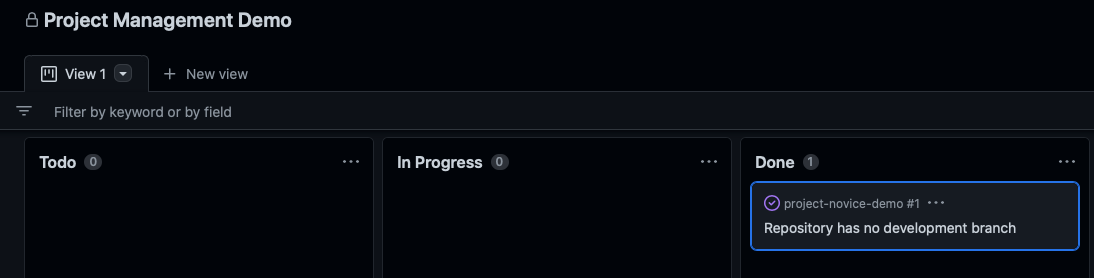
With our work finished, we can close our issue and move it to the ‘Done’ column:
GitHub Web Interface
We suggest fixing this issue by cloning the repository, to run through an example of linking up git and GitHub, but it can also be done via the web interface on GitHub.
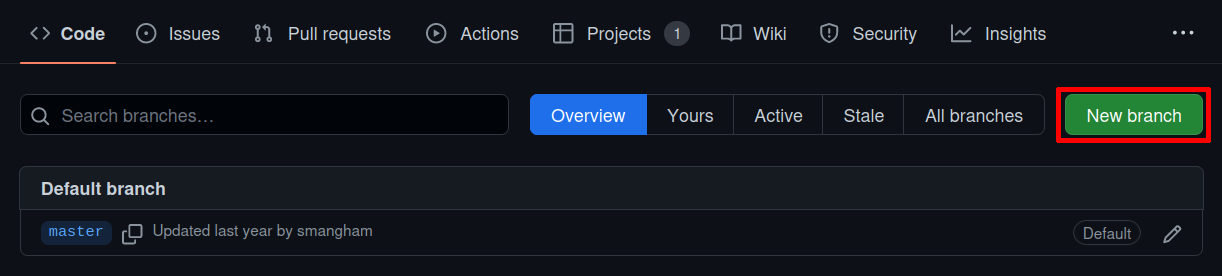
If you open the list of branches (where we saw there was no
dev branch), we can click View all
branches:
On this page, we can click New branch on the right side to create a new branch:
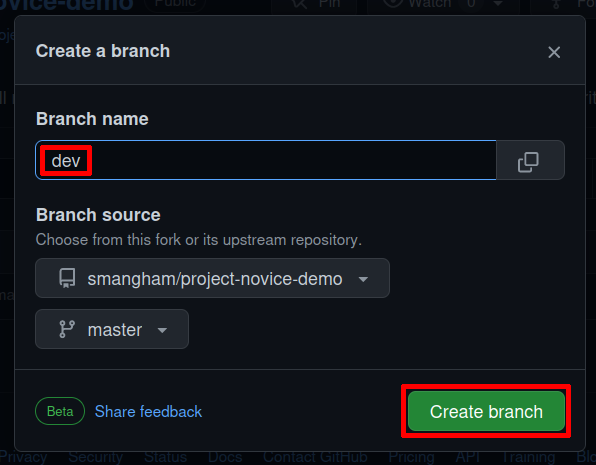
Then in the pop-up we can name the branch dev and create
it:
Solving Problems
Now we’ve got a dev branch and a project board with a
Todo column with issues in, we can set about fixing one
of them.
We want to use the feature-branch workflow, so it would be easy to
collaborate with other people. Pick one of your open issues, and fix it
using the feature-branch workflow, then once it’s done issue a release
of your updated master branch!
If you don’t have any issues that can be fixed with the
feature-branch workflow (e.g. ‘Unclear commit messages’) then
add a new issue that the code has a broken link in the
README.md file and work on fixing that. Small fixes can
even be done directly on GitHub!
Note: On GitHub, if you create a Pull Request on the
Pull Requests tab of a fork, it goes back to the
repository you forked from by default. Double-check when you’re
making a Pull Request that it’s going to your
fork repository, not Southampton-RSG-Training!
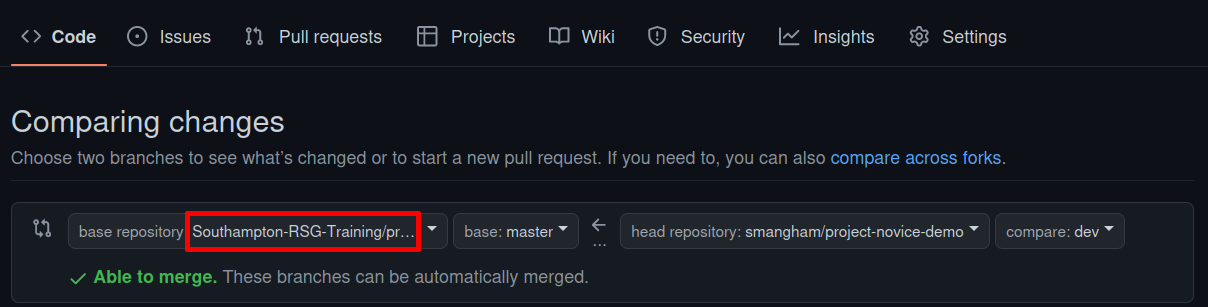
We can address the broken links like this:
- Move our issue from Todo to In Progress
- Go to our
README.mdfile on GitHub, and switch to thedevbranch version of it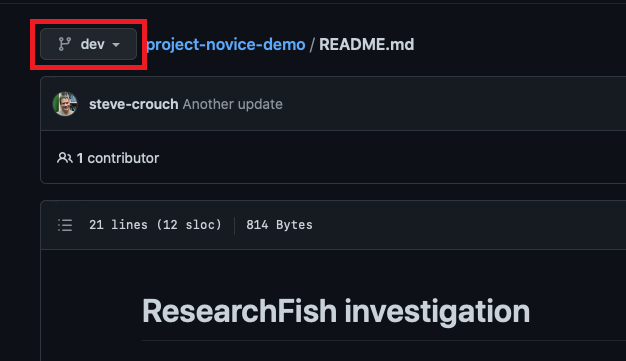
- Edit the file on GitHub to put in the correct URL (google it!)
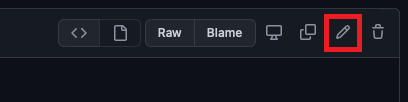
- Submit your changes as a new branch, and create a pull request
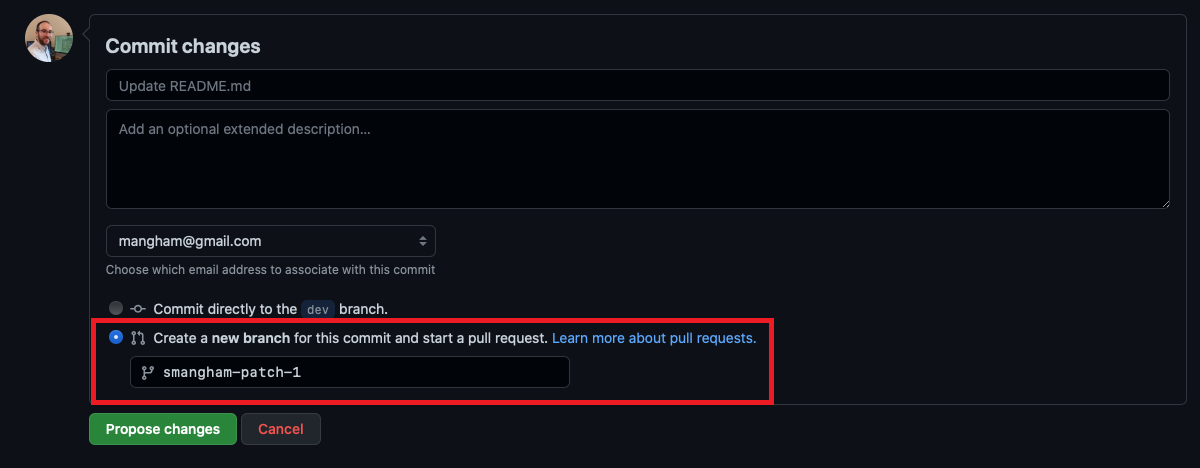
- Merge the pull request from our new branch to
dev. - Close our issue on GitHub
- Create a pull request from
devtomaster - When
masteris up to date, issue a release on GitHub.
Normally, we wouldn’t just merge a branch into dev then
dev straight into master- we’d merge several
fixes or new features into dev, then merge to
master and make a release.
Now you should have a good idea of the skills and techniques required to manage a project successfully!
- Problems with code and documentation can be tracked as issues.
- Issues can be managed on a project board.
- Issues can be fixed using the feature-branch workflow.
- Stable versions of the code can be published as releases.